How to use OpenSCAD with Claude Code
Updated 21 November 2026
Install OpenSCAD and ScadBox, open ScadBox, copy the Claude Code command from Settings › MCP Server and run it in Terminal, then run /mcp in Claude Code to reconnect. While ScadBox is open, Claude can render your .scad files, look at pictures of them, check them for printing and export STL or 3MF, instead of writing OpenSCAD code it has never seen.
Why Claude Code needs a renderer
Claude Code can write OpenSCAD on its own, but it is working blind: it can't tell whether the file compiles, what the model looks like, or whether a wall is 0.4 mm thick. ScadBox runs a local MCP server that gives Claude tools to render a design, take pictures of it from any side, and check it for printing. Claude then fixes what it sees, the way you would.
Set it up
- Install a development snapshot of OpenSCAD (2024.01 or newer). The OpenSCAD on Mac guide covers it, and ScadBox's setup card takes you to the download.
- Download ScadBox and open it.
- Open Settings (⌘,) and choose the MCP Server tab. Make sure Let agents use ScadBox is on.
- Click Copy beside Claude Code and run the command in Terminal. It looks like this:
claude mcp add --scope user scadbox -- /Applications/ScadBox.app/Contents/Helpers/scadbox-mcp - In Claude Code, run
/mcpto reconnect. Thescadboxserver and its tools appear in the list. - Optional, but worth it: under Skills in the same tab, click Install… beside Claude Code and confirm the
~/.claude/skillsfolder. The skills teach Claude ScadBox's workflows, such as getting a design ready to print, and ScadBox keeps them up to date. Start a new Claude Code session to load them.
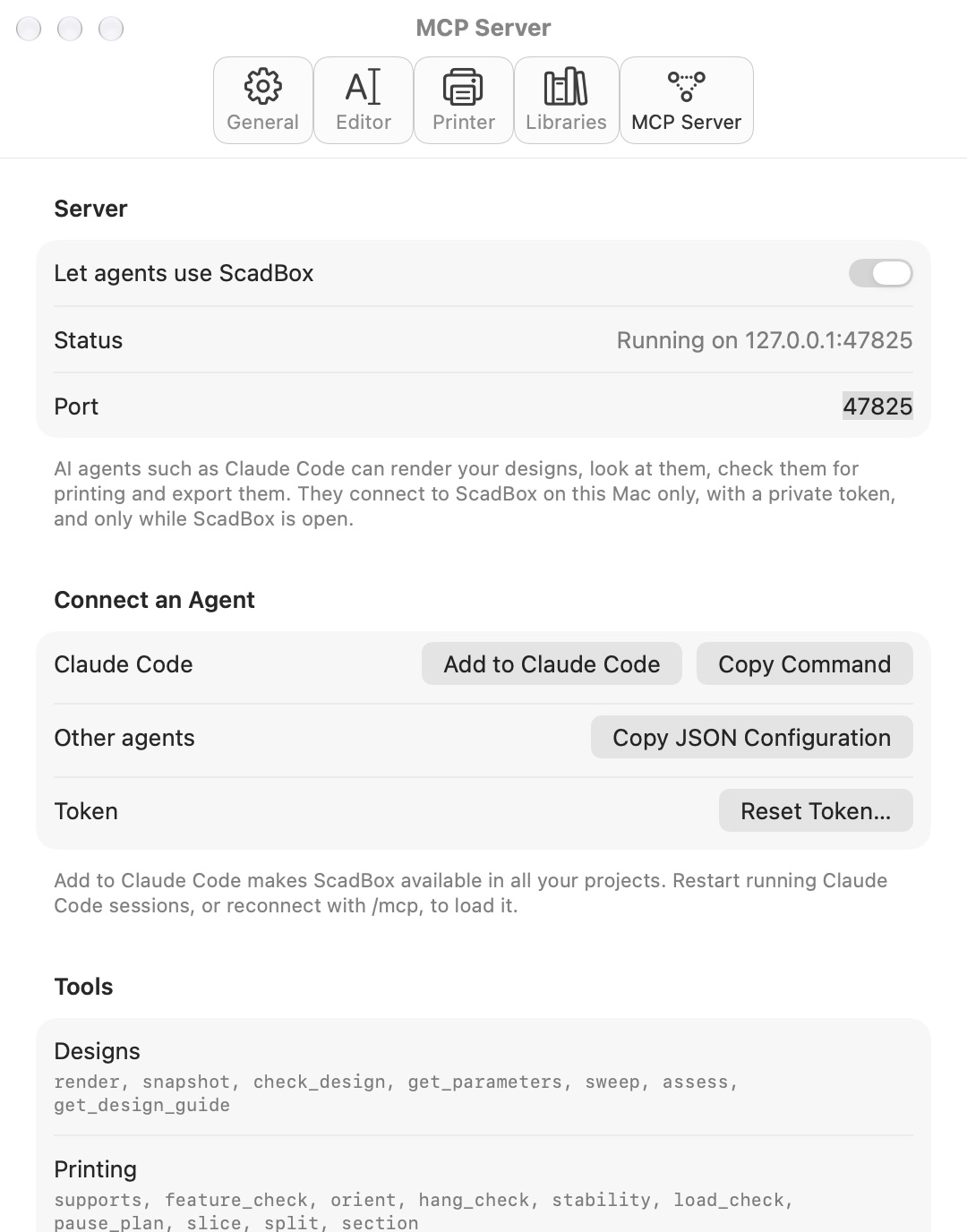
Claude Code starts ScadBox's own helper, scadbox-mcp, which reaches ScadBox through a private connection that only the two of them share, so nothing listens on your network and there's no token to keep safe. If ScadBox isn't open, the helper opens it. Codex and Gemini CLI have their own commands in the same place, and other MCP clients can use the JSON configuration.
What Claude can do with it
- Render and see:
renderreturns errors and warnings with line numbers,echo()output, the bounding box and whether the mesh is a closed solid.snapshotrenders pictures fromiso,front,topand the other camera presets, with scale ticks.sectioncuts the model open to show joints and walls. - Check the design:
check_designcompares the file with ScadBox's design guide, andsweeprenders every slider at its ends and every option to find values that break. - Check the print:
assess,supports,feature_check,orient,stabilityandpause_plan, plusslicefor real print time and filament from Bambu Studio or OrcaSlicer. See checking a print before slicing. - Work from the real world:
measure_imagereads dimensions off a photo or drawing,trace_imageturns a logo into an outline,import_meshinspects an STL you want to build on, andget_hardwaregives real screw, nut and magnet sizes. - Work on what you have open: say "the design I have open" and Claude finds ScadBox's front window with
open_designs, reads it as it is in the editor, and changes it withwrite_open_design, even if it was never saved. Each change can be undone with ⌘Z. - Export:
exportwrites STL, 3MF (with colours), OBJ, SVG, DXF or PDF.
The render → snapshot → check loop
When an agent connects, ScadBox sends it a short workflow, and Claude follows it:
- Claude writes or edits the
.scadfile with its own file tools. - It calls
renderafter every edit and fixes every error and warning. - It calls
snapshotto look at the result, zooming into a region when a detail matters. - Before calling the design finished, it runs
check_design,sweep,assessandfeature_check, and fixes what they report.
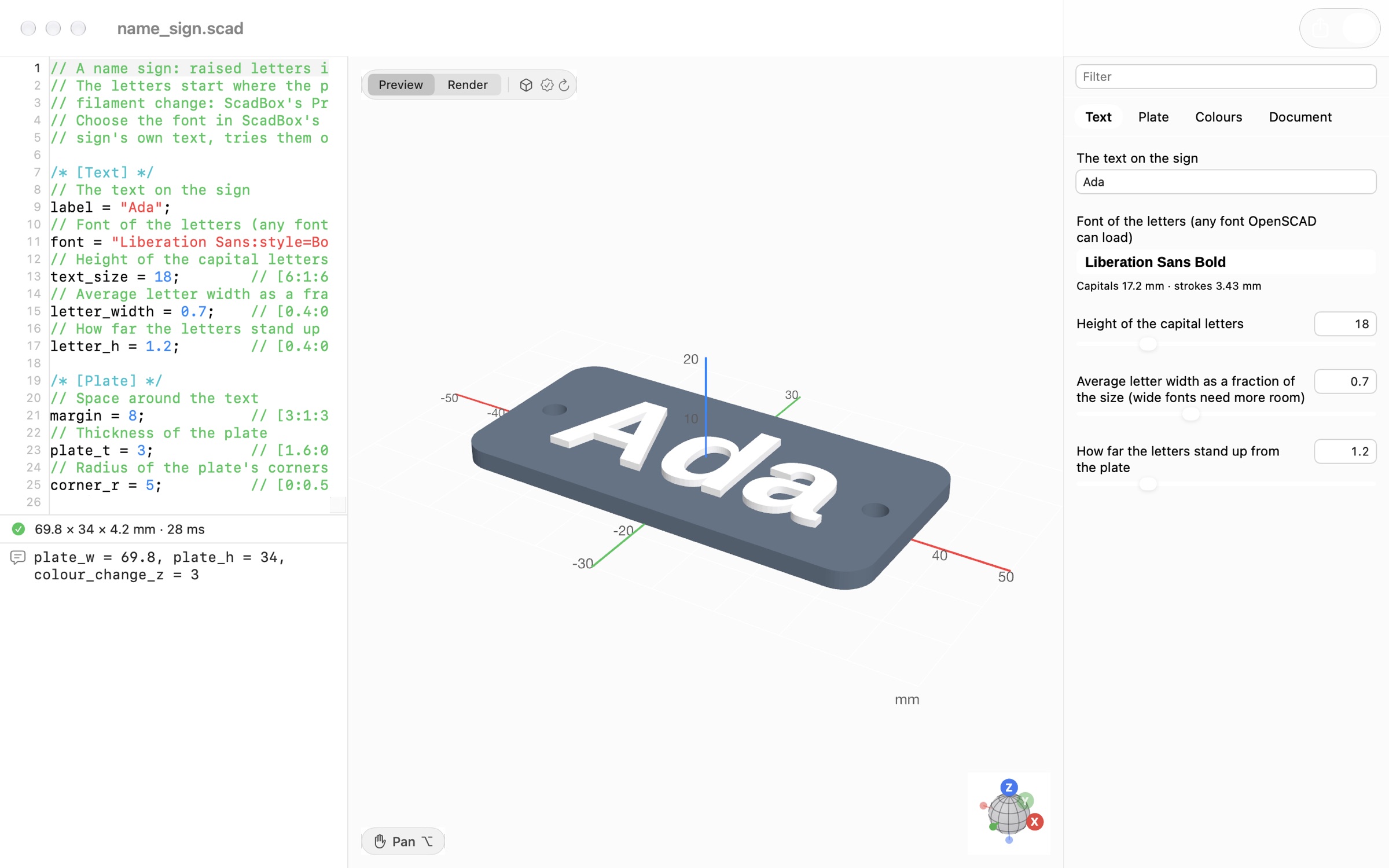
If you have the same file open in ScadBox, you watch it change: the window reloads when Claude saves, and ⌘Z undoes Claude's edit like your own. It works the other way too. When you drag a slider in the customizer, the new value is written into the source, so Claude sees exactly what you changed.
Example prompts
Describe the object, what it holds or touches, and the sizes you know. Say where to save the file, and open it in ScadBox to watch the design take shape.
Design a wall bracket for a 1.2 kg speaker, 90 mm deep, with two screw holes.
Save it to ~/Designs/speaker_bracket.scad and check it's strong enough.
Open ~/Designs/box.scad, make the lid a sliding lid instead of a snap fit,
and make sure every slider value still renders.Here's a photo of my router with a credit card next to it. Measure it and
design a stand that holds it upright without tipping.For a new design, Claude Code also has the server's new_model prompt: type /mcp__scadbox__new_model and describe the object. Claude first lists the real-world dimensions the design depends on and asks you for any it can't reasonably assume, then follows ScadBox's full design guide, so the result has customizer parameters, reusable modules and standard fit tolerances from the start.
Free and Pro
ScadBox is free to download, and the free version includes 50 agent tool calls a day. ScadBox Pro removes the limit, in the Mac App Store version. See pricing.
Questions
- Does Claude Code need OpenSCAD installed to use ScadBox?
- Yes. ScadBox runs OpenSCAD as a separate program to render designs, and it needs a development snapshot, version 2024.01 or newer. ScadBox's setup card opens the download page.
- Can other computers connect to ScadBox's MCP server?
- No. Agents start ScadBox's own helper program, which talks to ScadBox through a private connection on your Mac. Nothing listens on your network, and no other app can reach it.
- Can I use ScadBox with agents other than Claude Code?
- Yes, any MCP client. Settings › MCP Server has commands for Codex and Gemini CLI, and under Other agents a JSON configuration to add to the agent's MCP settings.
- Does ScadBox have to be open for the tools to work?
- Yes. The MCP server runs inside the ScadBox app, so the tools are available only while it's open. Quit ScadBox and the agent's calls fail until you open it again.
- How many tool calls does the free version allow?
- The free version includes 50 agent tool calls a day. ScadBox Pro, US$19.99 a year, removes the limit.