What tolerance to use for 3D printed parts that fit together
Updated 19 November 2026
Start with a gap of 0.3 mm per side for parts that slide or turn, 0.1 mm per side for parts pressed together, and add 0.2 mm to the diameter of holes for screws, pins and rods. These are starting values: print a fit test in the filament you'll use and replace them with what your own printer measures.
Three kinds of fit
Almost every joint in a printed part is one of three kinds, and each needs its own clearance:
- Sliding fit (
fit_slide, start at 0.3 mm per side): lids, drawers, hinges, anything that moves. The gap is on each side, so a 20 mm tab goes into a 20.6 mm slot. - Press fit (
fit_press, start at 0.1 mm per side): pegs in sockets and parts that should stay put once pushed together. A negative value is an interference fit, tighter than the hole. - Hole allowance (
fit_hole, start at 0.2 mm): added to the diameter of holes for screws, pins and rods. Printed holes come out slightly small, and this makes up for it.
"Per side" catches people out. A lid lip with 0.3 mm per side is 0.6 mm smaller overall than the opening it goes into.
Why there's no single right number
Clearance depends on the printer, nozzle, filament, and slicer settings such as line width and speed. The same design can be loose on one printer and stuck solid on another, and PETG can behave differently from PLA on the same machine. That's why the numbers belong in parameters you can change, not typed into the geometry.
Put fits in parameters
Give every design that has a joint a Fit group with these three standard names, and derive each joint's clearance from them:
/* [Fit] */
// Gap per side between parts that slide or turn
fit_slide = 0.3;   // [0:0.025:1]
// Gap per side for parts pressed together (negative = interference)
fit_press = 0.1;   // [-0.3:0.025:0.5]
// Added to the diameter of holes for screws, pins and rods
fit_hole = 0.2;    // [0:0.025:0.8]

/* [Size] */
// Inside width of the box
inner_w = 60;      // [20:1:200]
// Wall thickness
wall = 2;          // [1.2:0.2:5]
// Diameter of the peg on the lid
peg_dia = 6;       // [3:0.5:12]
// Screw size for the mounting hole
screw_dia = 3;     // [2:0.5:6]

/* [Hidden] */
// The lid's lip slides inside the box walls.
lip_w = inner_w - 2 * fit_slide;
// The socket for the peg holds it by pressing.
socket_dia = peg_dia + 2 * fit_press;
// The screw passes through freely.
hole_dia = screw_dia + fit_hole;

echo(lip_w = lip_w, socket_dia = socket_dia, hole_dia = hole_dia);
Because the names are standard, anyone printing your design can change three numbers to suit their printer, and tools can set them too. ScadBox's design guide asks AI agents to use exactly these names and to take their defaults from your printer profile.
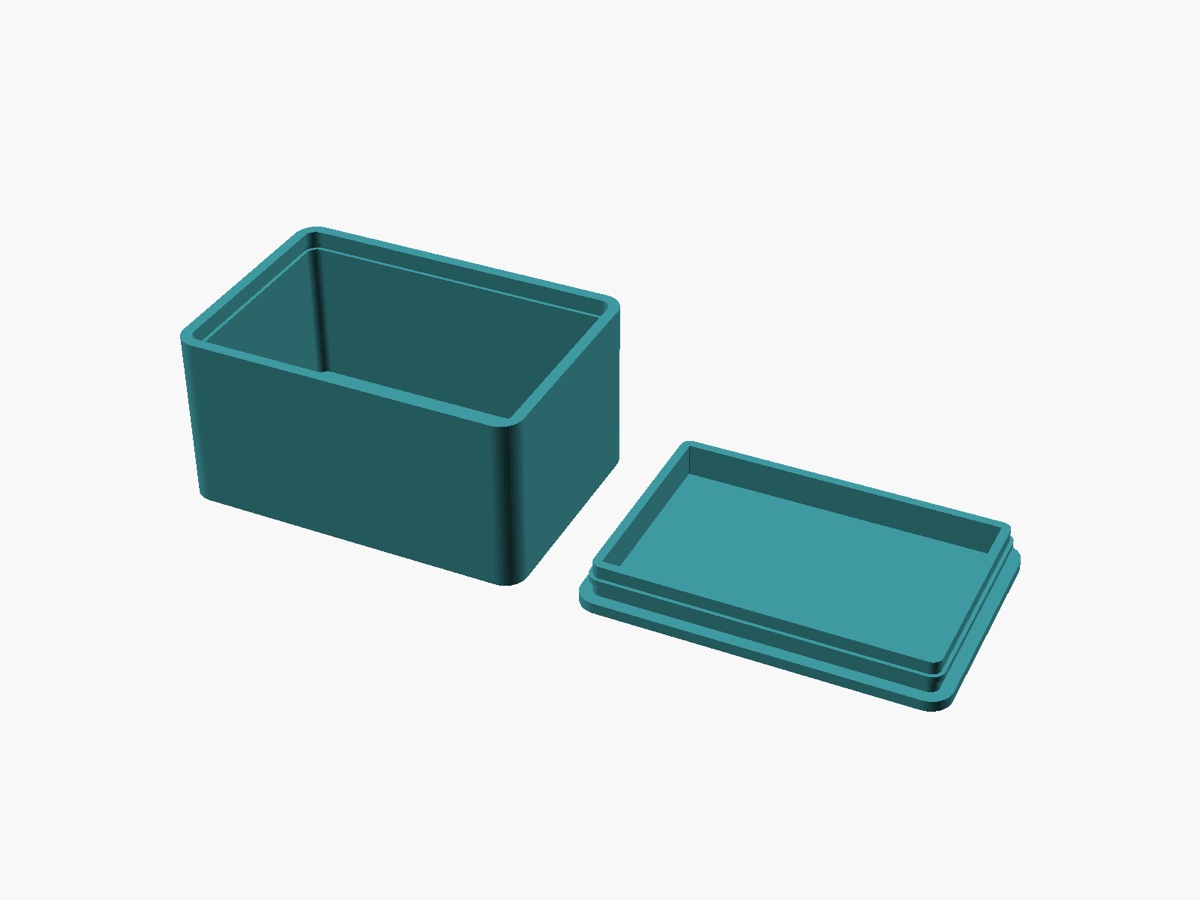
fit_slide, and the snap's overlap is its own parameter.Measure your printer with a fit test
Starting values get you close. A fit test gets you the real numbers, and takes one short print:
- In ScadBox, choose File › New Fit Test…. It makes a small plate of labelled slots and holes stepping through clearances, plus a key.
- Print the plate and the key flat, without supports, in the filament your parts will use.
- Read off the numbers:
fit_slide: the smallest slot where the key slides in and out freely.fit_press: the smallest slot where the key goes in with firm thumb pressure and stays.fit_hole: the smallest hole an M3 screw passes through without forcing.
- Enter them in Settings › Printer, under Fits, and turn on Measured with the fit test.
Do it again when you change filament type or nozzle. A profile per printer and filament combination keeps the numbers straight.
Printer profiles
A printer profile in ScadBox isn't a connection to the printer. It's the nozzle, layer height, filament, bed size and measured fits that designs are made for. You can start one from a printer preset in Bambu Studio or OrcaSlicer, or from a blank profile. Print Check uses the bed and nozzle; designs and AI agents take their clearances from the fits. An agent reads them with get_printer_profile, and if your fits haven't been measured, it can write the fit test for you with fit_test.
Tips for joints that matter
- For a critical joint, add a test piece to the design's part selector, such as
part = "fit_sample": just the joint, printable in minutes. - Snap fits need an overlap as well as a clearance. Make the overlap its own parameter; it isn't a tolerance.
- Orient snap arms so they bend within a layer, not by peeling layers apart.
Questions
- Is a 3D printing tolerance per side or total?
- It depends on the convention, so always check. ScadBox's fit_slide and fit_press are per side, so a 0.3 mm sliding fit makes a part 0.6 mm smaller than the opening. fit_hole is added to the hole's diameter.
- What clearance should I use for a press fit?
- Start with 0.1 mm per side, then adjust from a fit test. A negative value gives an interference fit, which is tighter than the hole and needs force to assemble.
- Why are 3D printed holes smaller than designed?
- Holes print slightly undersize on most printers. Adding an allowance to the hole diameter, about 0.2 mm to start, makes screws and pins go through. A fit test tells you the exact amount for your printer.
- Do I need different tolerances for PLA and PETG?
- Often, yes. Clearance depends on the filament as well as the printer and slicer settings, so print the fit test in each filament you use for parts that must fit.